
Live demo room open today until 6 pm

98465 57792 [email protected]

Home  /  Journal

Journal

Practical notes on the questions we get asked most, based on what we see in rooms across Kerala.

Choosing a display

Projector or television?

It depends mainly on one thing most people do not measure: how much light the room gets at the time you watch.

A projector gives far more screen for the money. A hundred-inch picture from a projector costs a fraction of a hundred-inch television, and a large picture at the right distance is easier to watch for two or three hours. In a room that can be darkened, a projector is the better choice.

Light is the problem. A projector reflects its picture off a screen, so any other light in the room competes with it. A television makes its own light and overpowers the room. In a hall with large windows where the family watches at four in the afternoon, a bright television will look better than a projector costing twice as much. We will tell you that, even though the projector is the bigger sale.

How to decide, practically

Look at when the room is used. If most viewing happens after dark, or the room has curtains that genuinely block light, a projector is the better buy. If most viewing is daytime and the windows are large, go with a panel and spend the difference on sound.

If the use is genuinely mixed, there are two options. A brighter laser projector with a screen made to reject room light will hold up in moderate light. Or a television for daytime and a projector for evenings, which is common in houses that have both a living room and a separate cinema room.

Screen size and seating distance

Bigger is not automatically better. As a working rule, sit about 1.5 times the screen width away from it. At 2.5 m from the screen that means a picture of about 100 inches. Closer than that and it stops being comfortable to watch.

For gaming

Either can work. Check the screen genuinely supports 4K at 120 Hz, and that it does so on the input you will actually use. Many list the feature but provide it on only one port, or drop to 60 Hz once HDR is switched on. It is worth checking on the actual screen.
Measure the light before you choose the display. It is the decision that most affects whether you are happy with the result, and the one most often made from a specification sheet instead of from the room.

Acoustics

Why home theatres sound worse in Kerala houses

It is usually the building materials, not the equipment. It is also cheaper to fix than most people assume.

Houses here are built from hard, reflective material: vitrified tile floors, plastered concrete walls, large glazed openings and a flat slab ceiling. Almost nothing in a typical room absorbs sound.

Sound leaves the speaker, hits those surfaces and reaches your ears slightly after the direct sound. It does not sound like an echo. It sounds like unclear dialogue. This is why people switch on subtitles for films they can follow perfectly well on headphones.

Bass is worse. Low notes are long enough to interact with the size of the room itself. The result is one seat where the bass is overwhelming and another, a metre away, where it almost disappears. That is the room, not the subwoofer.

What auto-calibration can and cannot do

Every current receiver includes room correction and it is worth running. It measures the sound at your seat and adjusts to compensate.

What it cannot do is remove a reflection. It can turn down a frequency the room is exaggerating, but the reflected sound still arrives. Correction is a useful final adjustment. It is not a substitute for treating the room.

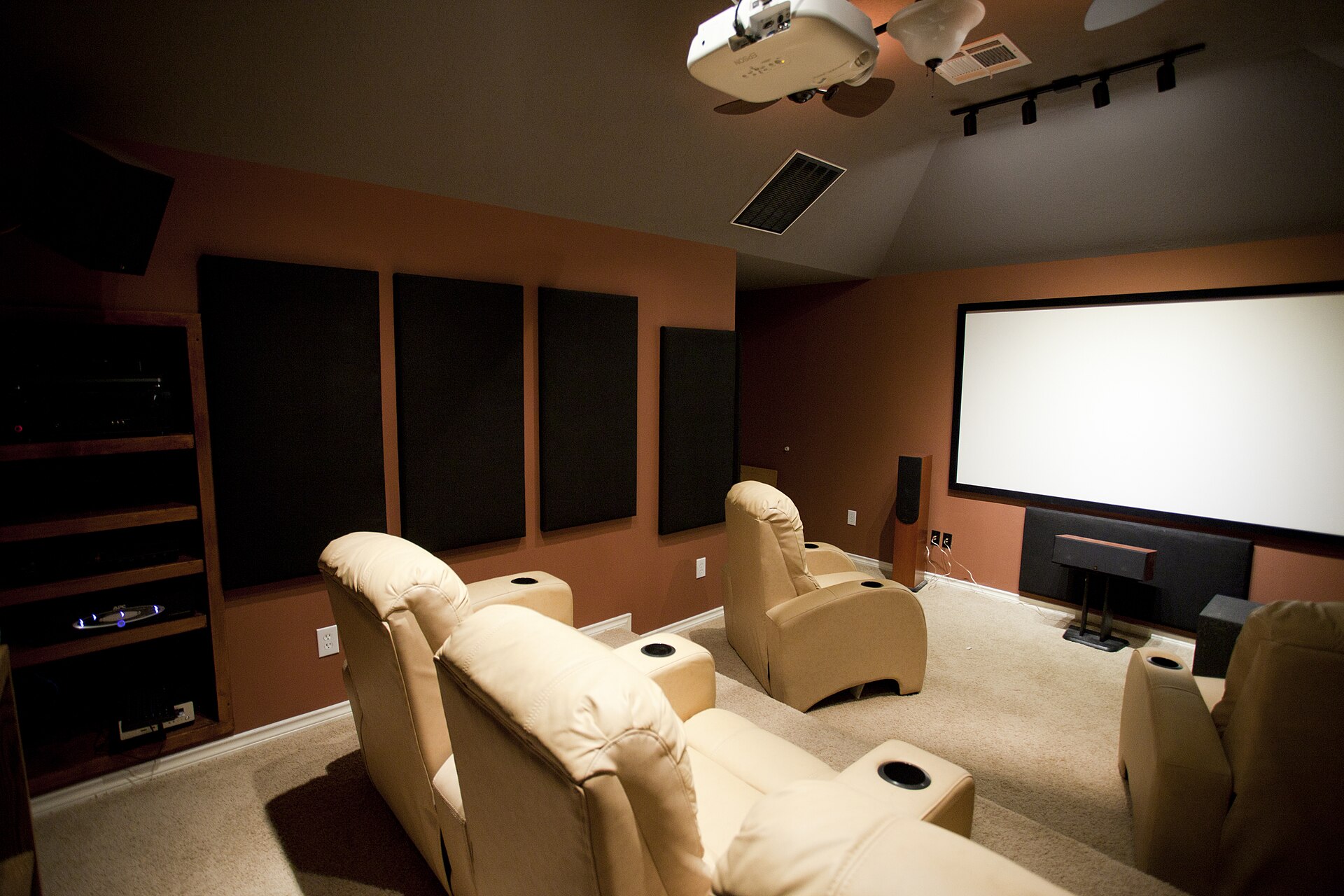
Acoustic absorption panels mounted on the side walls of a home cinema, either side of tiered seating
Acoustic panels on the side walls. The cheapest improvement available in most rooms.

Three things that help, in order of value for money

First, panels on the side walls. Put them where sound from the front speakers bounces off the wall on its way to you. They do more for dialogue clarity than any equipment upgrade at the same price. In a living room, heavy curtains and a rug on a tiled floor get you a long way.

Second, bass traps in the corners. Low notes collect where the walls meet. Treating the corners evens out the difference between seats.

Third, a second subwoofer instead of a bigger one. Two placed by measurement give a far more even result across a row of seats than one large one.

None of this requires a dedicated room. A living room with a rug, curtains and two well placed subwoofers will outperform an untreated room with considerably more expensive equipment in it.

Gaming

What 4K at 120 Hz actually requires

Every link in the chain has to support it. One that does not will quietly reduce the whole thing, and nothing on screen tells you.

A current console can put out 4K at 120 Hz. Getting that to the screen means it passes through a cable, usually a receiver, and then the display. Each one has to be able to carry it. If any single link cannot, the console drops down, usually to 60 Hz, and carries on as though nothing happened.

The cable

Look for a cable rated 48 Gbps. Under about three metres most decent cables manage. Above that, uncertified cable starts to cause trouble, and it shows up as occasional black flashes or dropped frames instead of a clean failure. That makes it hard to trace. On long runs we use fibre-optic HDMI.

The receiver

Check which inputs actually support it. Plenty of receivers advertise 4K at 120 Hz and provide it on only two of their seven HDMI ports. Some early models had a known fault that produced no picture at all from certain consoles.

There is a simple alternative. Connect the console straight to the screen and send the sound back to the receiver down the same cable. That keeps the receiver out of the picture path altogether, costs nothing in quality, and removes a whole set of problems.

The display

Confirm 4K at 120 Hz works on the port you are using, and that it still works with HDR switched on. Then turn on game mode, which switches off the picture processing that adds delay. The difference is easily noticeable in anything competitive.

Audio latency

This gets less attention and still matters. A long sound processing chain delays the audio behind the picture. For films the receiver's lip-sync setting corrects it. For competitive play, where hearing a footstep at the right moment counts, we keep the sound path short.

We test the full chain at the resolution you will use, with the console you actually own, and report the delay measured in your room. If you want to see it first, bring the console to the demo room.

Questions

Ask the shop directly

If your question is not covered here, call the showroom and we will answer it.

More reading
Services in detail
In person
Demo room open until 6 pm, High School Junction
WhatsApp